
To use GoodFeelings, you need to sideload the game with the injected dylib/deb file. You don't necessarily need a computer — any sideloading method that supports dylib/deb injection will work.
What You'll Need
- The game's original .ipa file
- The GoodFeelings dylib/deb file (provided after purchase)
- A sideloading method that supports injection (see options below)
 Option 1: On-Device (No PC Required)
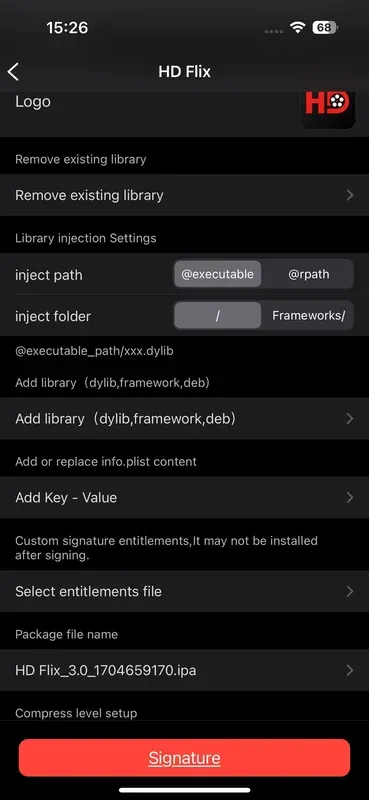
Apps like ESign, Feather, or GBox let you inject and install directly on your iPhone:
- Transfer the game .ipa and the dylib/deb to your device
- Open the sideloading app (e.g., ESign)
- Import the .ipa file
- Inject the dylib/deb into the .ipa
- Sign and install the modified app
- Trust the profile in Settings → General → VPN & Device Management if prompted
- Launch the game from your home screen
 Option 2: PC-Based Tools
If you prefer using a computer, tools like Sideloadly, AltStore, or SideStore work as well:
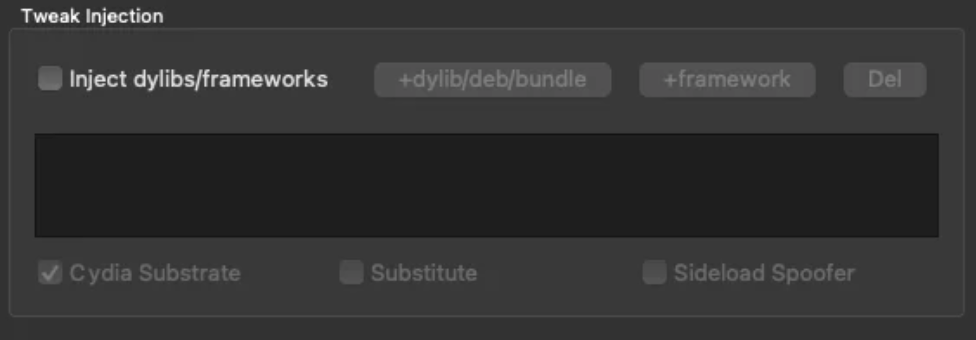
- Inject the dylib/deb into the .ipa on your computer first
- Connect your iOS device via USB
- Sideload the modified .ipa using your preferred tool
- Trust the developer profile on your device if prompted
- Launch the game
7-Day Signing Limit
⚠️ Important: With a free Apple ID, sideloaded apps expire every 7 days and need to be re-signed every week. Connect to Sideloadly or AltStore regularly to maintain your app.
After Installation
- Open the sideloaded game
- The GoodFeelings login screen will appear
- Enter your license key (received via Discord DM)
- The key binds to your device permanently
- You're ready to go